The Colorway Creator: your own colors, or real fabric matched to a photo
Two kinds of colorway. A hex colorway is your own colors, each named, for a pattern that names no real fabric. A real fabric colorway is a set of fabrics from one line of solids or basics, or from your stash, matched to a photo or to a palette AI suggests.
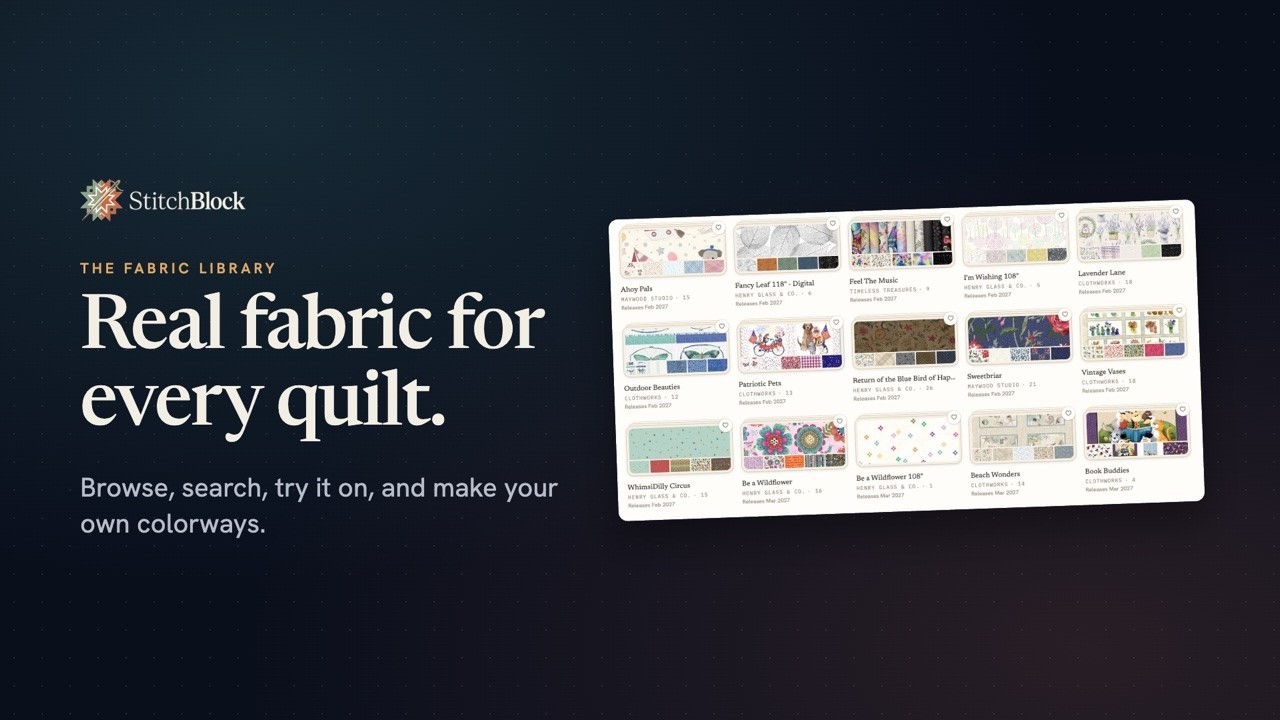
StitchBlock Fabric Library & Colorway Creator | Find Fabrics & Make Color Palettes Watch on YouTube, bigger and with chapters
The Colorway Creator opens on two tabs. Hex colorway is for a pattern you sell or teach from that can’t name real fabric: the line will be gone before your buyers get to it, or you don’t want to name a brand at all. Pick each color, name it (Background, Accent, Red), and save the colors together under a colorway name. It behaves like a fabric collection everywhere: the Fabrics panel folds it into one folder, My colorways in the Fabric Library lists it by name, and the printed pattern’s Fabric Key reads “Dark background” with its hex and its yardage. Real fabric colorway is for a quilt made of fabric you can buy: pick one line of solids or basics, or your stash, then match a photo or a suggested palette to it, and every fabric in the colorway comes from that one line. The pattern prints each fabric’s own name, line and SKU. Neither colorway’s name goes into the pattern.
A hex colorway
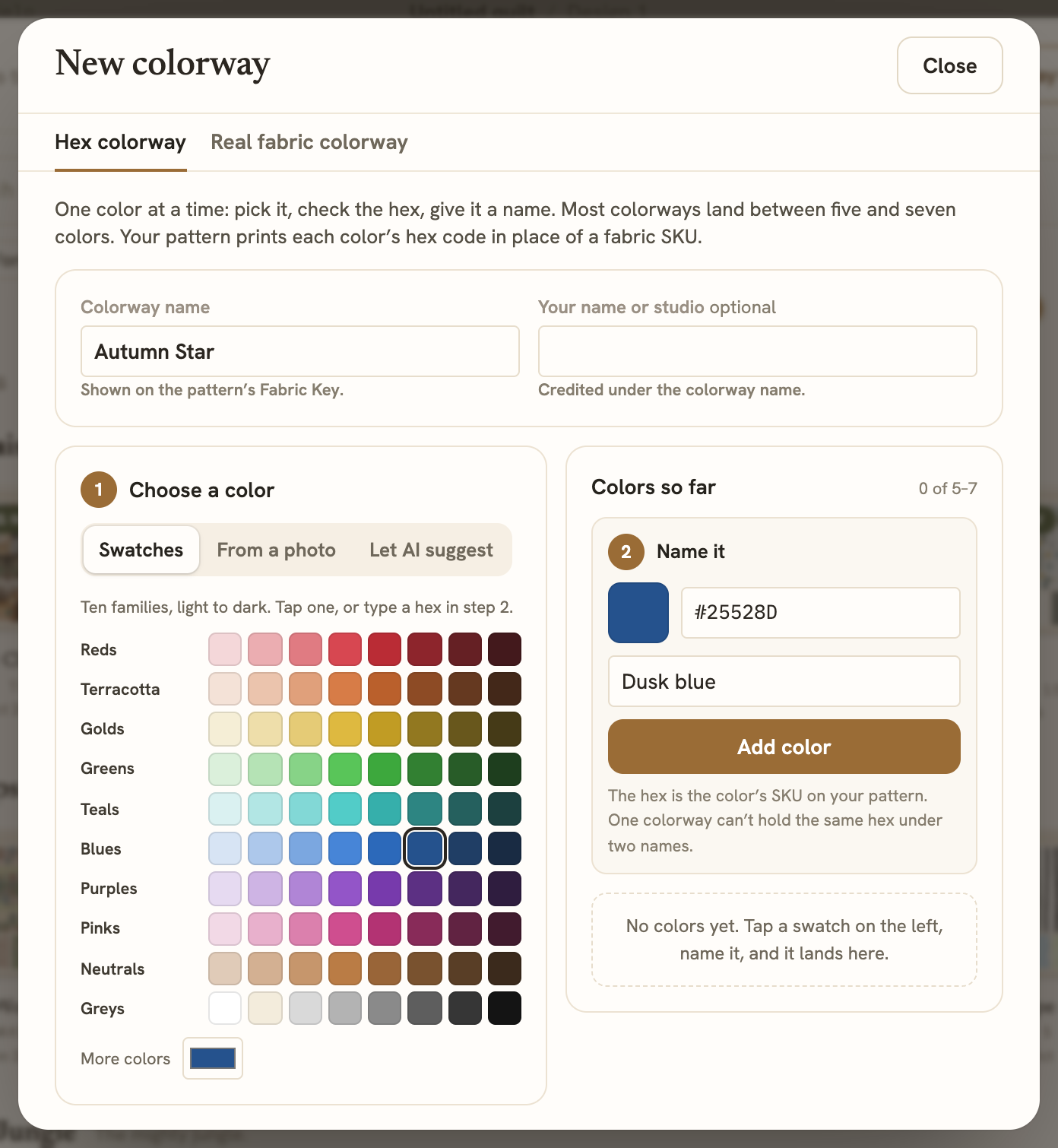
Open Libraries → Fabrics and tap Colorway Creator in the Library’s header, beside + Add fabric. It opens on a new colorway; your saved ones are under My colorways in the left rail, where Edit brings one back into the Creator. On your phone it is the Colorway Creator button on the My Stash tab, and it opens on a new colorway there too.
Name the colorway (Autumn Star, say) and, if you like, add your name or your studio. Step 1, Choose a color, has three sources: Swatches, ten families light to dark; From a photo; and Let AI suggest. Tap a swatch, or type a hex code in step 2, and the color lands on the right under Colors so far: its name fills in on its own, a plain word for that shade like Dusty rose or Sage, and you can type over it with any name you like (Background, Accent, Red). Tap Add color and it joins the list under step 2; every color you add is saved as you go. Tap a listed color’s swatch to bring it back up into step 2 and change it with the grid, the hex or the name, then Done. Under Let AI suggest, describe the palette you want (a fall palette, soft pastels with one dark) and tap Suggest colors: for one credit AI adds a palette of five to seven colors, or three to five more to a colorway that already has some, each named the same way, and every name and color stays yours to change.
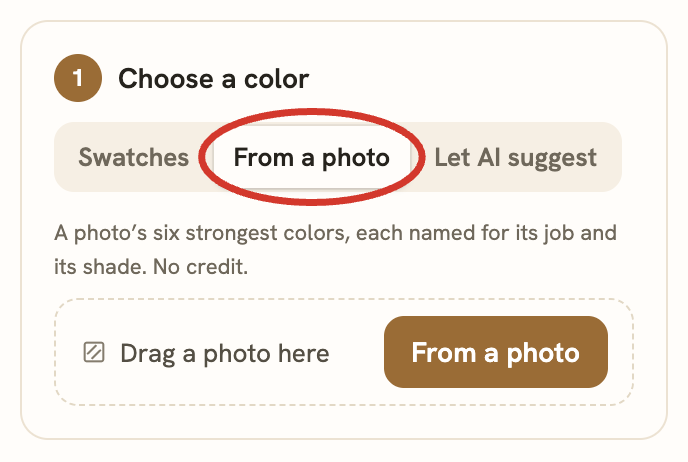
Colors from a photo: under step 1 tap From a photo, then drag a picture into the box or tap the button and pick one. The app pulls its six strongest colors and adds each as a color named for its job and its shade: Background · Cream, Accent · Rust. No AI and no credit. Remove any you do not want, like any other color.
The hex is the color’s SKU. It prints on the Fabric Key the way a bolt number would, so a shop or a manufacturer can make the exact color if a buyer ever wants it. That is also the one rule: a colorway can’t hold the same hex under two names. The same navy in a different colorway is fine.
Change your mind any time. Rename a color in its row, tap its swatch to change the color, or rename the colorway or maker and every color follows at once. Remove takes a color out of the colorway; if it was painted on a quilt those patches go back to their placeholder.
When the colorway is ready, tap Save to My Library. It lands under My colorways in the Fabric Library, one card per colorway, where you can open it, pull its colors, or tap Edit to come back to it. In the Studio, Save and add to project also puts every color in the Fabrics panel, grouped under the colorway, ready to paint.
A real fabric colorway
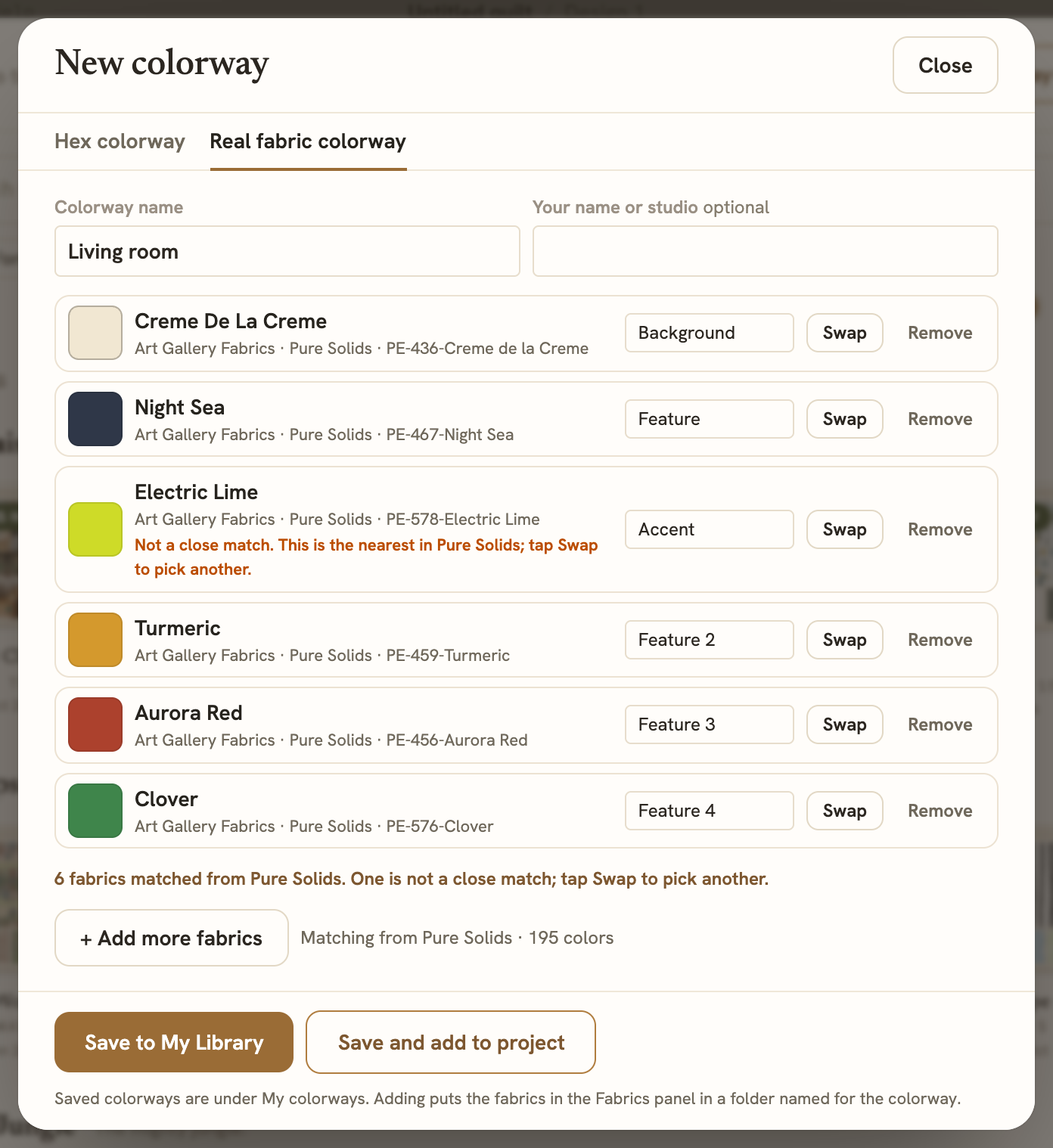
Tap the Real fabric colorway tab. This one is built from fabric you can buy: a photo of your living room, or a mountain view you love, matched to the fabrics a shop carries. No colors are picked by hand here; the Worktable is where you paint with any fabric you like.
Name the colorway, then choose where the fabrics come from under Choose a collection. Tap a manufacturer to see its collections: lines of solids (Pure Solids, Confetti Cotton Solids) and lines of basics where most of the fabrics read as solid (Shadow Play, Dapple Dot), each with how many fabrics it holds. Tap a collection to see all its colors, then Use this collection. Or tap My stash to match from the fabrics you own. Every fabric in the colorway will come from that one line, so the whole quilt can be bought in one place.
Tap From a photo and pick a picture, or describe a palette and tap Suggest colors (one credit). Each color is matched to the nearest fabric in the line by how light or dark it is first, then by its hue, and no fabric is used twice. A row names the fabric, its line and its SKU, and the job the color does (Background, Accent) sits beside it for you to change. When the line has nothing close to a color, the row says so and shows the nearest fabric rather than pretending it fits.
Once fabrics are matched they lead the screen and the collection panel folds away; tap Add more fabrics to open it again for another photo or suggestion. Tap Swap on any row to see the line’s fabrics nearest that color, nearest first, and tap one to use it instead. Remove takes a fabric out. Then Save to My Library, or in the Studio Save and add to project, which puts the fabrics in the Fabrics panel in a folder named for the colorway, with each fabric’s own line under its name.
Matching from My stash uses the fabrics you own that have a picture to read a color from. A stash photo carries the light of the room it was taken in, so a tan under warm bulbs can read as orange: use good lighting when you photograph fabric, and swap any match that looks off. A stash fabric with no picture is left out and counted.
On your phone, both kinds of colorway are under My colorways in the Fabric Library, beside Favorites. Edit there opens the Creator on that colorway.
Tip: Any name works: Red, Blue, Background, Accent. The name the app fills in gives a buyer an idea of the shade to match; a name that says the color’s job (“Dark background”) tells them where it goes. Both print on the Fabric Key beside the hex. If you want buyers to swap real fabric into your design themselves, that is the embeddable recoloring component, a separate feature.