See each fabric’s color in words
The Color Guide names each fabric’s color in words, on the fabric card and in the Binder.
If colors are hard for you to tell apart, the Color Guide names each fabric’s color in words. It is in two places: on the fabric card, and in the Binder.
On the fabric card
Open the Fabric Library (Libraries → Fabrics) and tap a fabric.
Look under Value, Cloth, Repeat and Colors. The Color guide line names the color, such as Red with black.
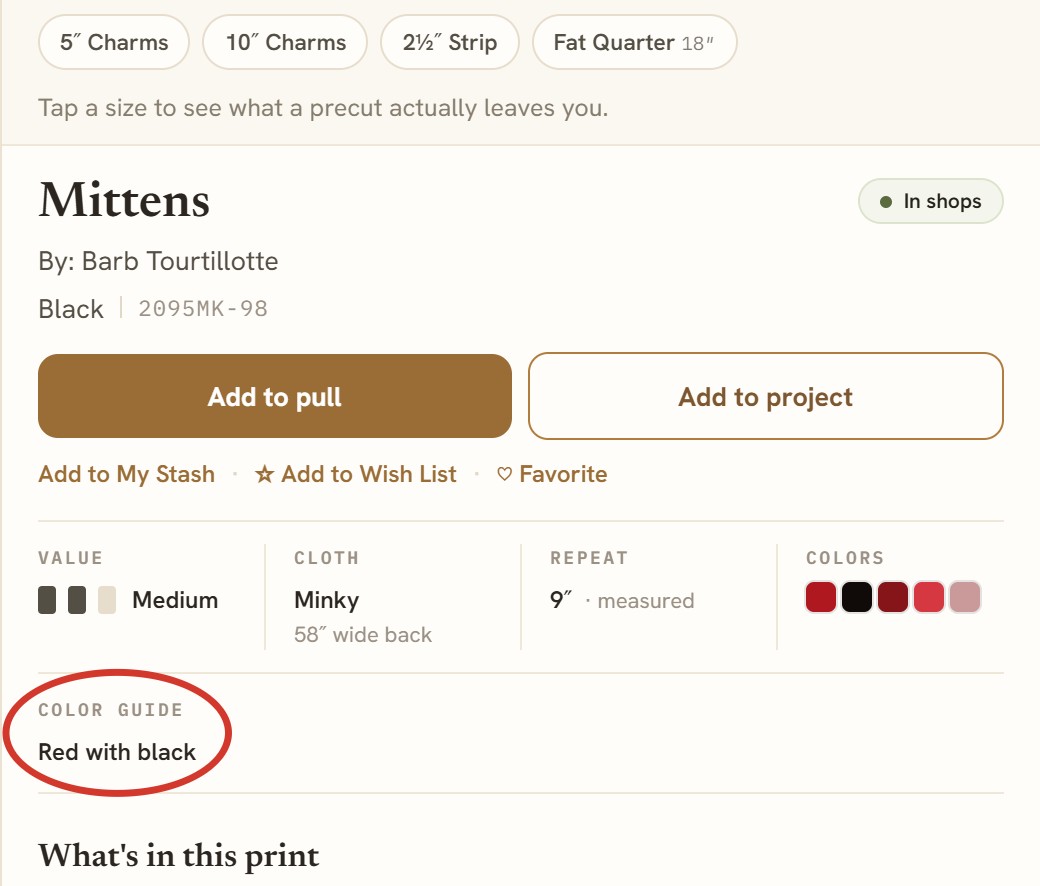
The phone shows the same line when you tap a fabric.
In the Binder
Open the Binder and tap Color Guide. It is under Fabric Key.
The Color Guide is your Fabric Key with two lines added under each fabric’s name. The first names the color. The second says if the fabric reads light, medium or dark. The letters are the same letters as your Fabric Key.
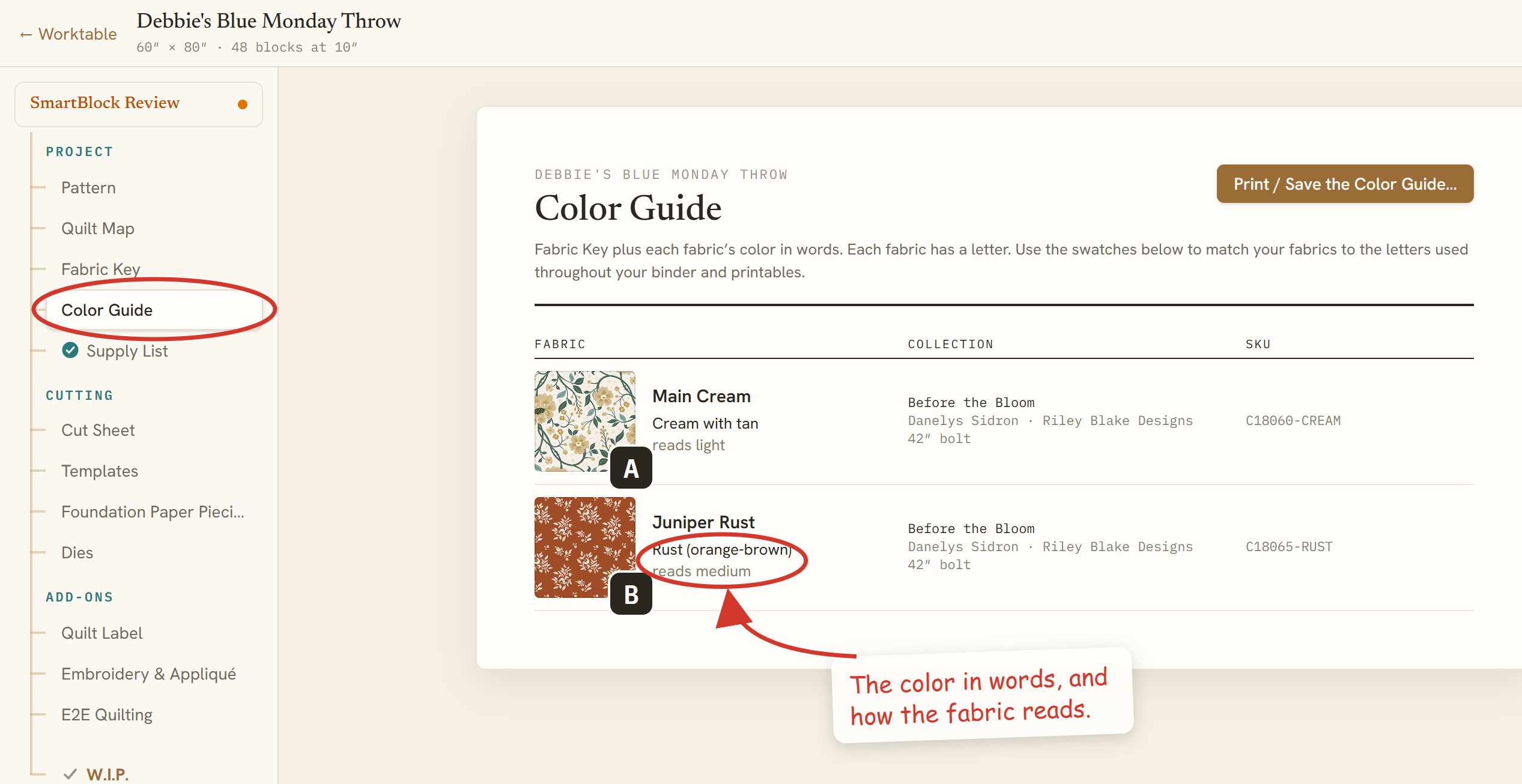
To print it, tap Print / Save the Color Guide… at the top of the page.
How to read the words
The first color is the main one. A color after “with” is a second color you can see in the fabric, such as Cream with red. Multicolor means no one color leads. A word in parentheses names the color family, such as Teal (blue-green).
Tip: The words start from the manufacturer’s color name. When the picture shows something else, the Color Guide goes by the picture.
To see your whole quilt the way red-green colorblind eyes see it, open Check your quilt's values