How to read the Block Map and Cutting List
Each fabric in the design gets its own letter, so prints or colors that look alike are never mixed up. Circled numbers are Cutting List references — never sewing order. T-numbers are templates, ×numbers are cut counts, CW numbers are colorways.
StitchBlock Pattern and Cut Sheets: read every page, print at 100%, and cut one block at a time Watch on YouTube, bigger and with chapters
One symbol system runs through every pattern document. Learn it once here and every page reads itself.
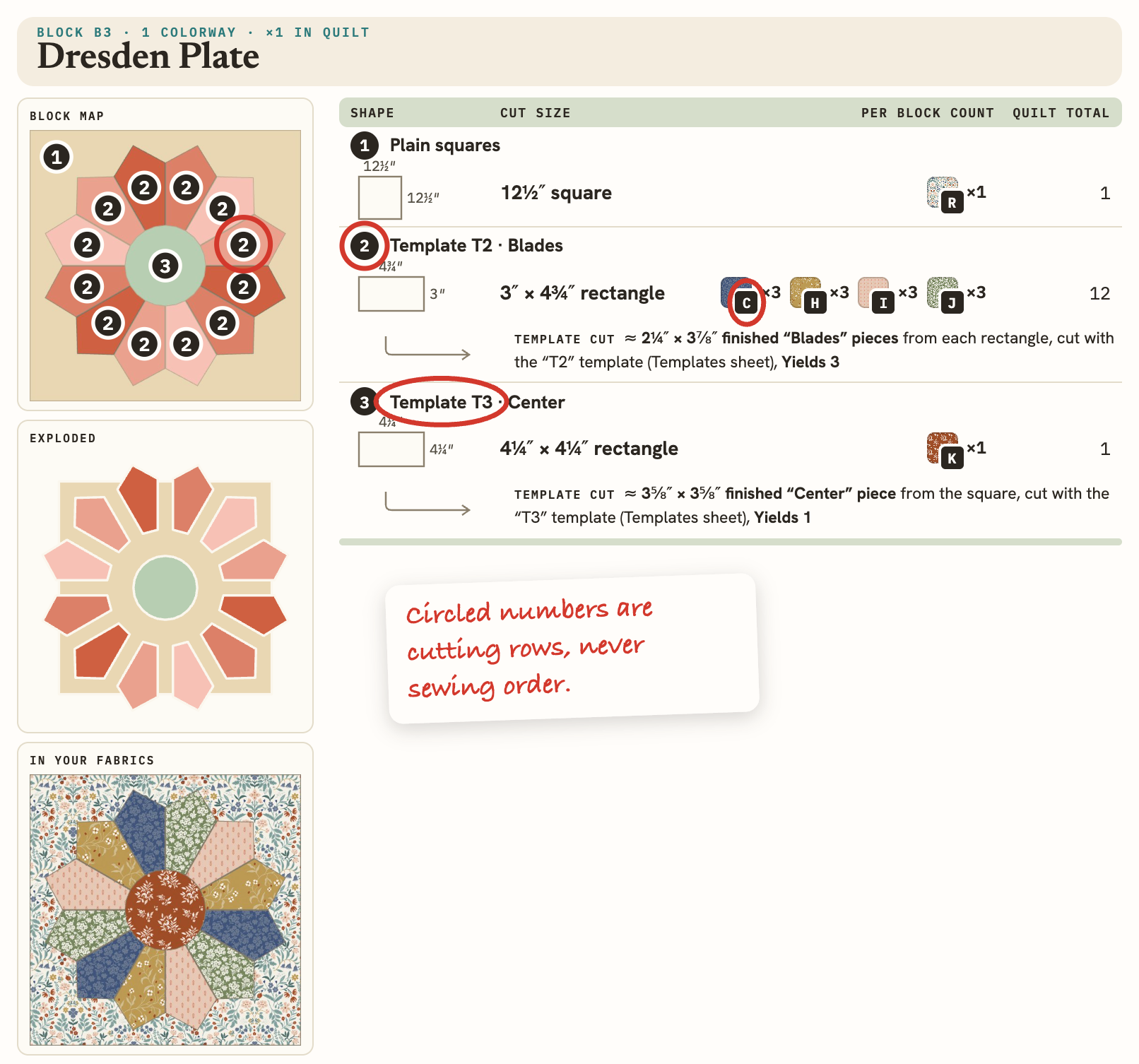
Circled numbers are Cutting List rows — never sewing order
The most common misreading, so it goes first: a circled ③ on the block picture means row 3 of the Cutting List. It does not mean “sew this third.” The circled numbers exist so you can point at any piece in the picture and find its cutting row; sewing order lives in the assembly steps.
Each fabric has its own letter
Each fabric in the design gets its own letter, A, B and onward through AA, so you can tell apart prints or colors that look alike. Every letter maps to one fabric in the Fabric Key.
T-numbers are templates
T1, T2… mark pieces cut from a printed template rather than rotary dimensions.
×numbers are cut counts
×8 means cut eight of that piece.
CW-numbers are colorways
The same block painted differently. A block’s page has one Block Map that every colorway shares. Each colorway has its own small In Your Fabrics picture, labeled CW1, CW2 and so on.
The reading flow
Find the piece on the block picture.
Its circled number points to the Cutting List row.
The row’s letter tells you which fabric, the ×count tells you how many, and the size given is the unfinished (cut) size.